FEFO Batch & Expiry Control
Strict batch and expiry date tracking with automatic First-Expired-First-Out (FEFO) deduction and expired-item blocking.
The ideal system to run your pharmacy 100% offline. A highly secure, fast Windows desktop edition built with Microsoft technologies to store your inventory, POS sales, and supplier ledgers locally forever.
PharmacyPlus Desktop covers all barcode POS, FEFO inventory, supplier, and accounting needs of your pharmacy with a rapid interface.
Interactive KPIs displaying real-time pharmacy overview: daily POS sales, near-expiry and shortage alerts, cash drawer balance, and shift metrics.
Fast POS terminal supporting barcode scanners, pack/strip/unit splitting, multi-tab carts, and instant thermal receipt printing.
Strict batch and expiry date tracking with automatic First-Expired-First-Out (FEFO) deduction and expired-item blocking.
Instant active-ingredient lookup to suggest in-stock generic equivalents whenever a requested brand is unavailable.
Automatic detection of items below minimum reorder thresholds, compiling ready-to-order supplier shortage lists.
Record purchase invoices with supplier bonus quantities, discounts, expiry returns, and complete supplier payable ledgers.
Financial engine for shift cash-drawer reconciliation across cash, card, and wallets, plus net profit reporting.
Design and print thermal barcode labels for packs and split strips showing pharmacy name, price, and expiry date.
Granular role permissions (Admin, Pharmacist, Cashier) hiding supplier purchase costs and logging every sale or return.
Instant switch between Arabic (RTL) and English (LTR) interfaces with bilingual drug catalog search.
One-click encrypted local database backups to your hard drive or external USB flash drive.
Connect multiple POS cashier terminals and back-office PCs inside the pharmacy over a fast local LAN without internet.
Choose the right edition for your pharmacy — offline lifetime license or flexible cloud subscription.
| Criteria | PharmacyPlus Desktop (Offline) | PharmacyPlus Online (Cloud) |
|---|---|---|
| Internet Required | Not required — 100% offline | Required (Any device & remote branch view) |
| Pricing Model | One-time lifetime license | 7-Day Free Trial then flexible plans |
| Data Storage | Local on pharmacy PC (SQL Server) | Encrypted cloud with auto backups |
| Privacy & Security | Data stays inside your pharmacy | AES-256 encryption & isolated tenant |
| Price | EGP 2,000 one-time | Recurring subscription |
Pay only once and get your permanent pharmacy software lifetime license, with zero monthly billing or annual subscriptions.
Review actual localized screen captures showing EMR workflows, queue lists, and print layouts.
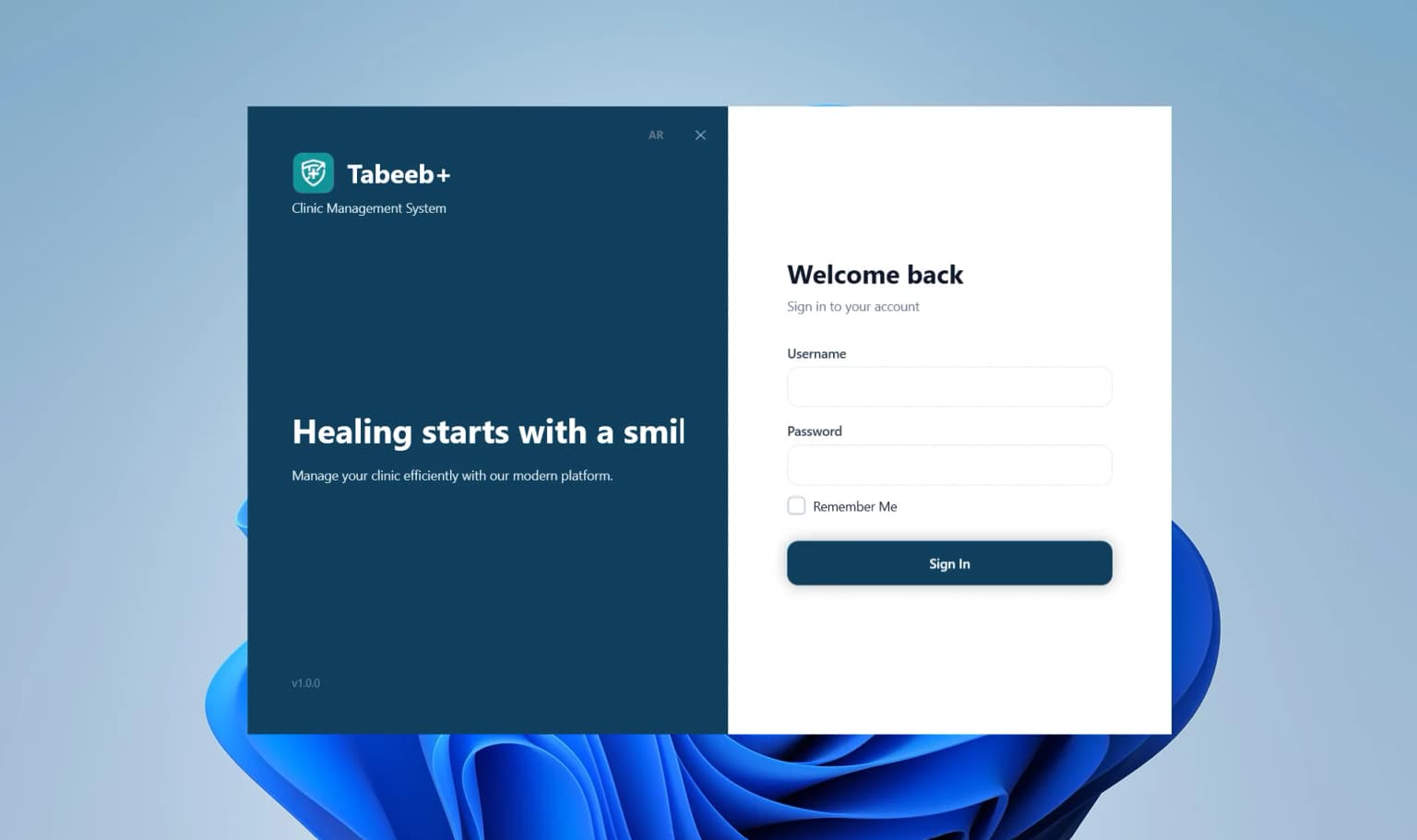
Role-based user validation ensuring safe and authorized access to pharmacy POS and ledgers.

Get a real-time overview of daily POS sales, expiring batches, and financial performance.

Track pharmacist shifts, counter activity, and order statuses directly on screen.

Instant lookup by name or phone number to locate customer medication history and credit balances.
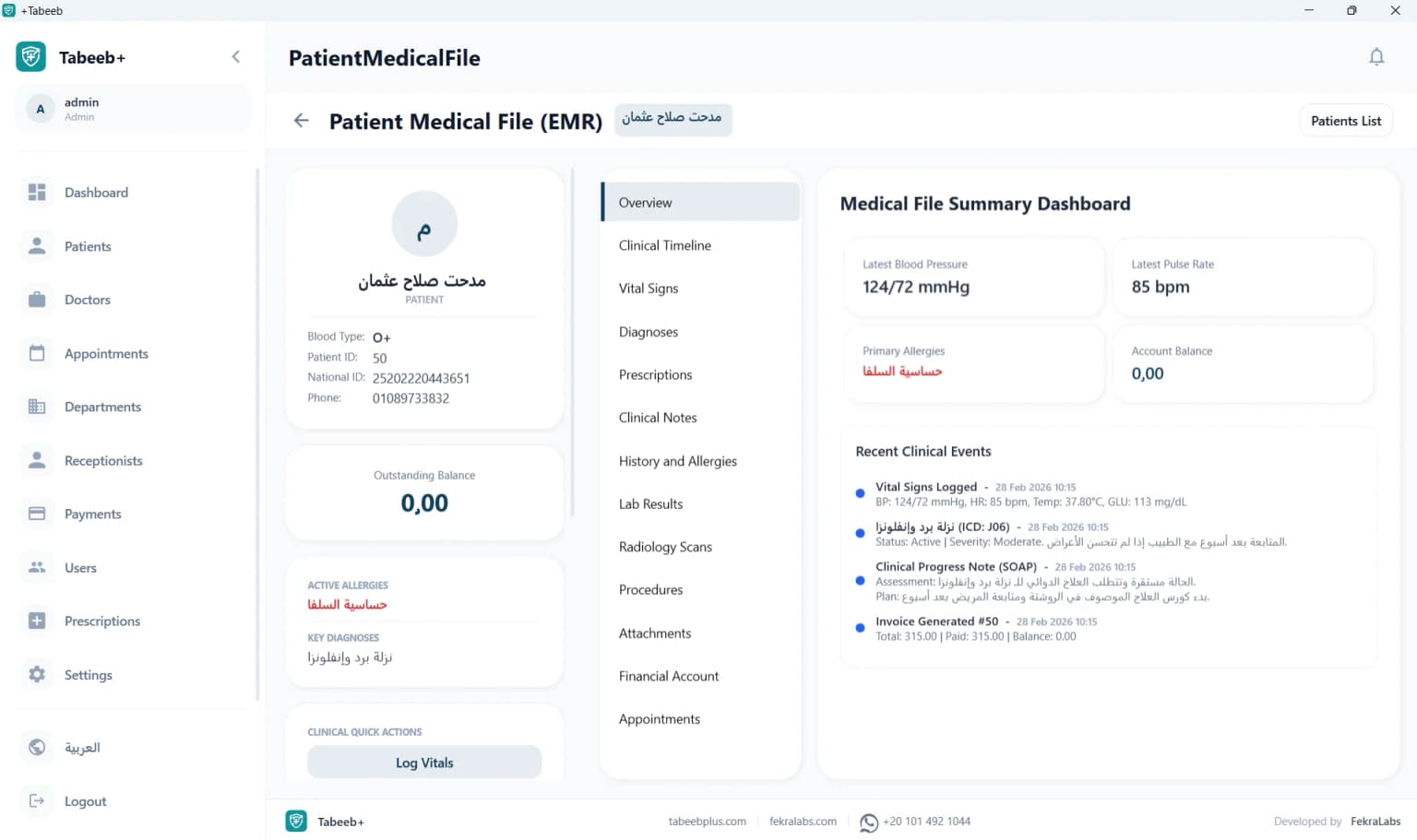
Track dispensed medications, recorded drug allergies, and chronic refill schedules.
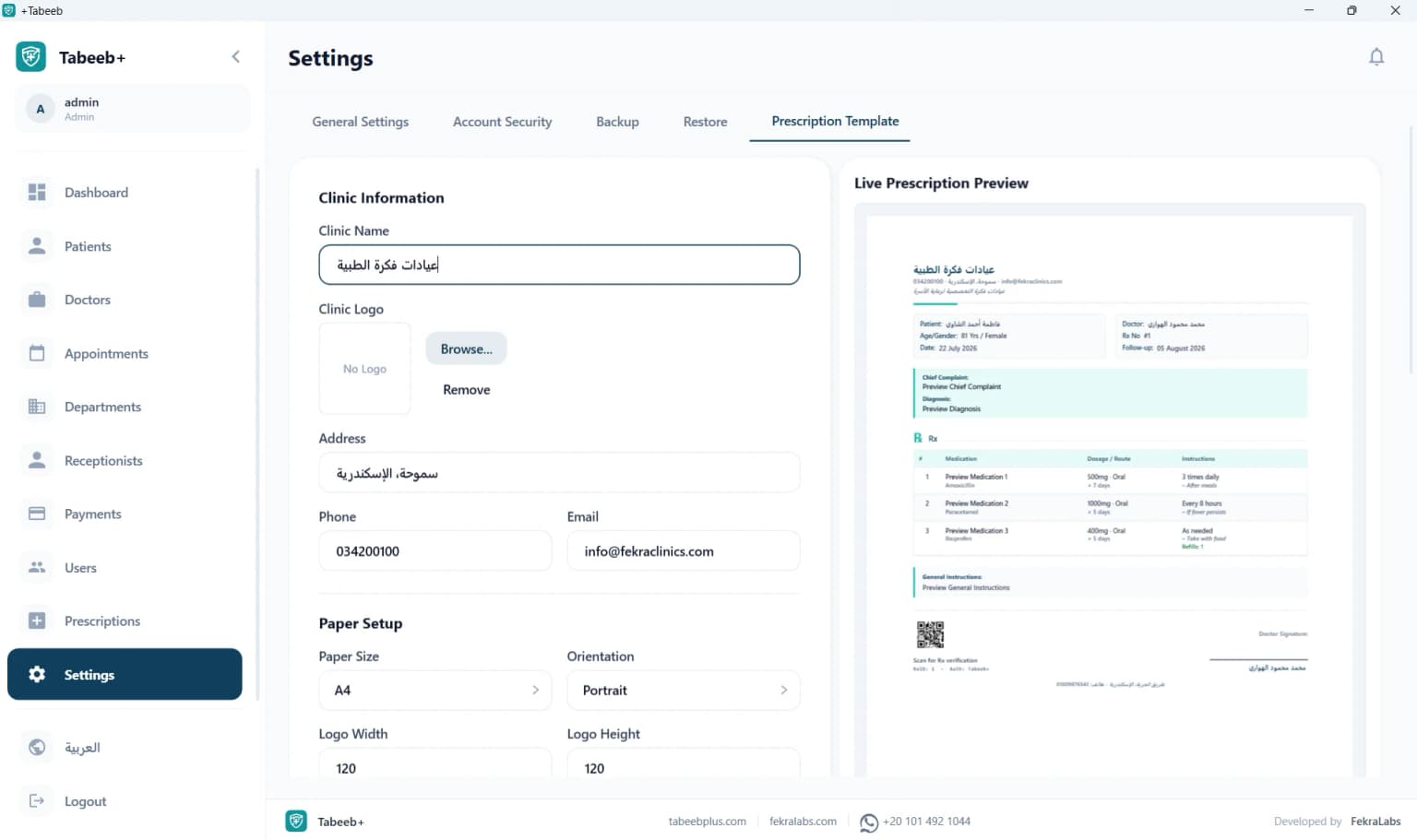
Visually customize your pharmacy receipts and dosage instruction printouts with your branding.
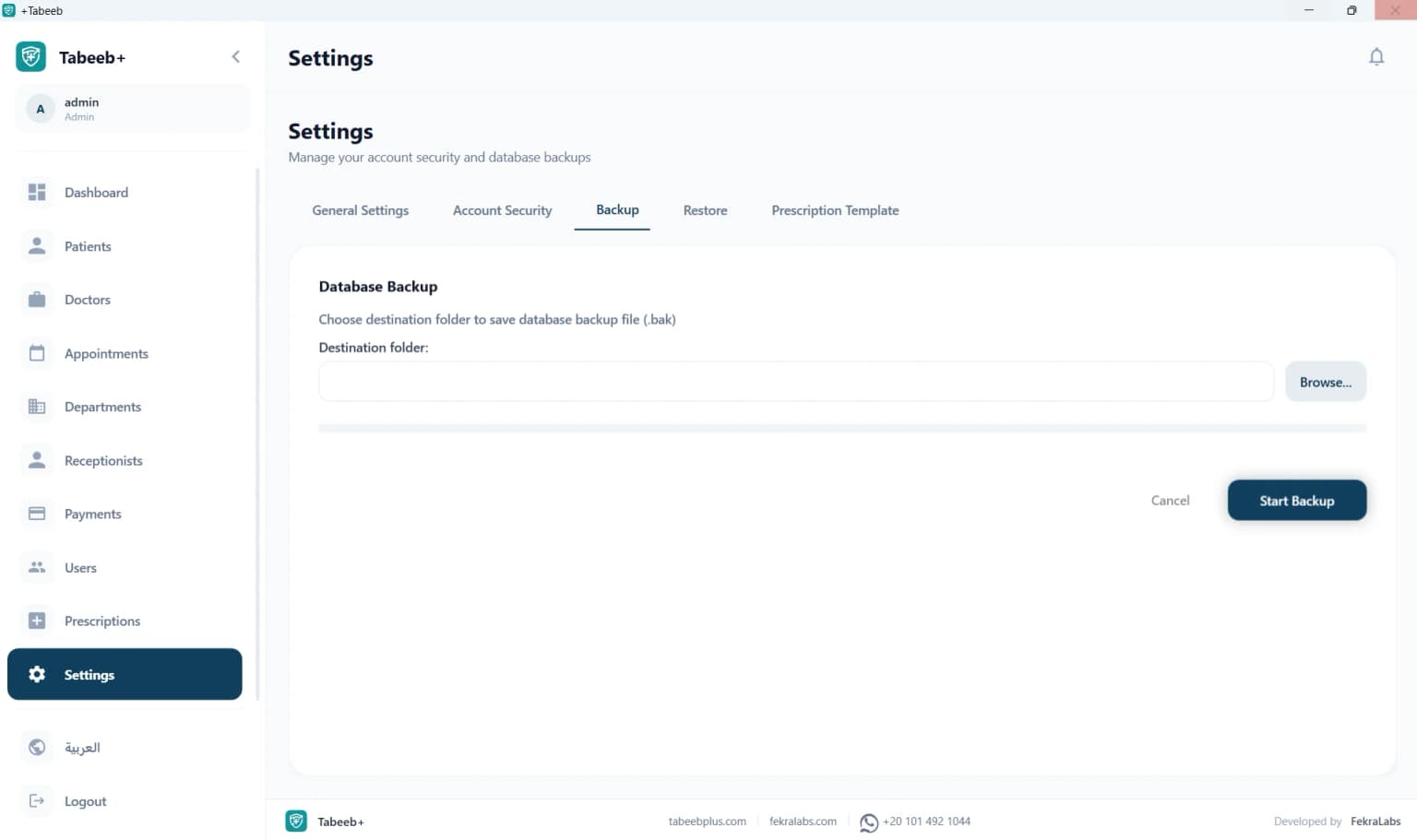
Perform instant local database backups and restores to protect inventory and supplier ledgers.

Manage registered pharmacists, cashiers, shift assignments, and role-based access permissions.
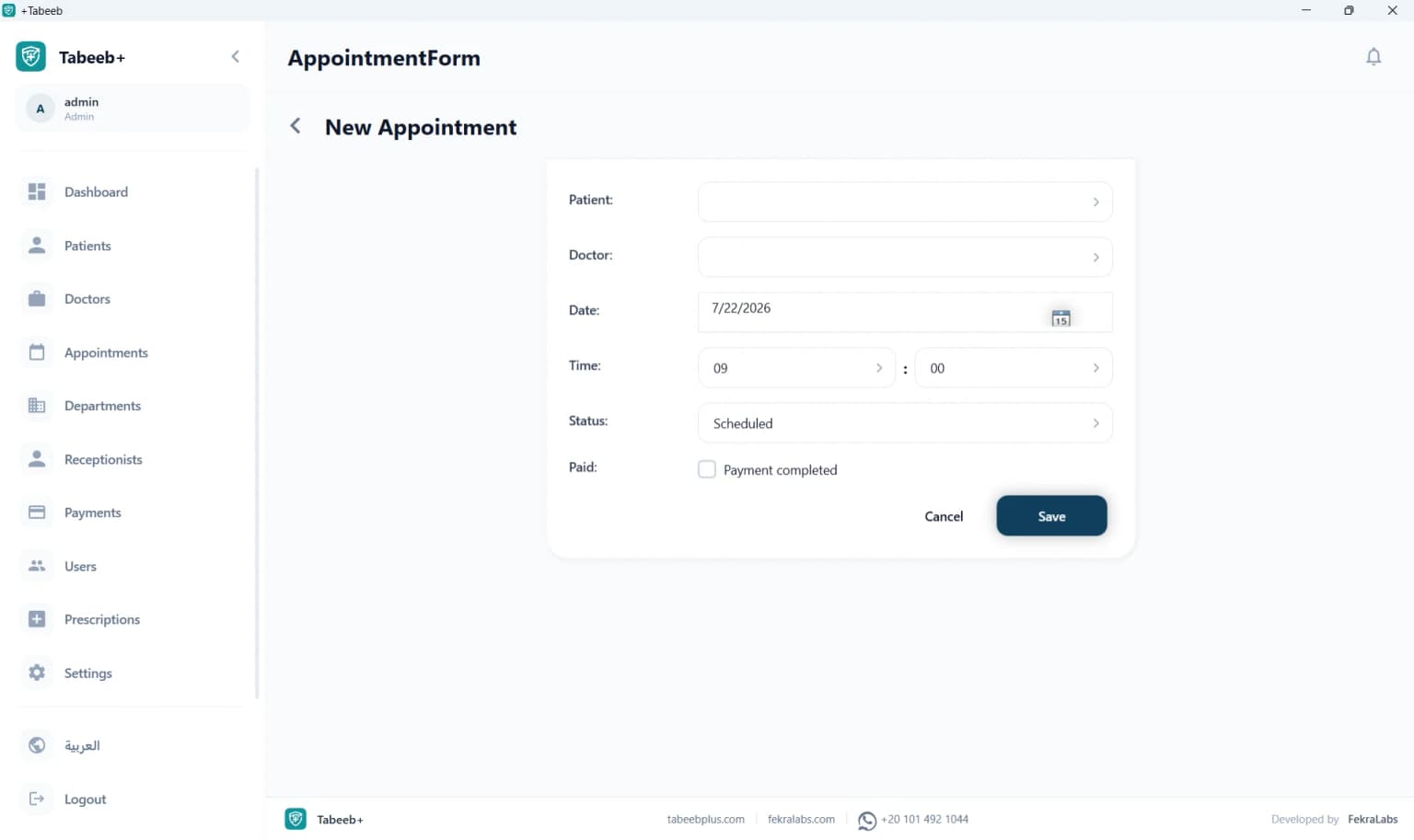
Easily schedule chronic medication refill reminders and supplier delivery appointments.
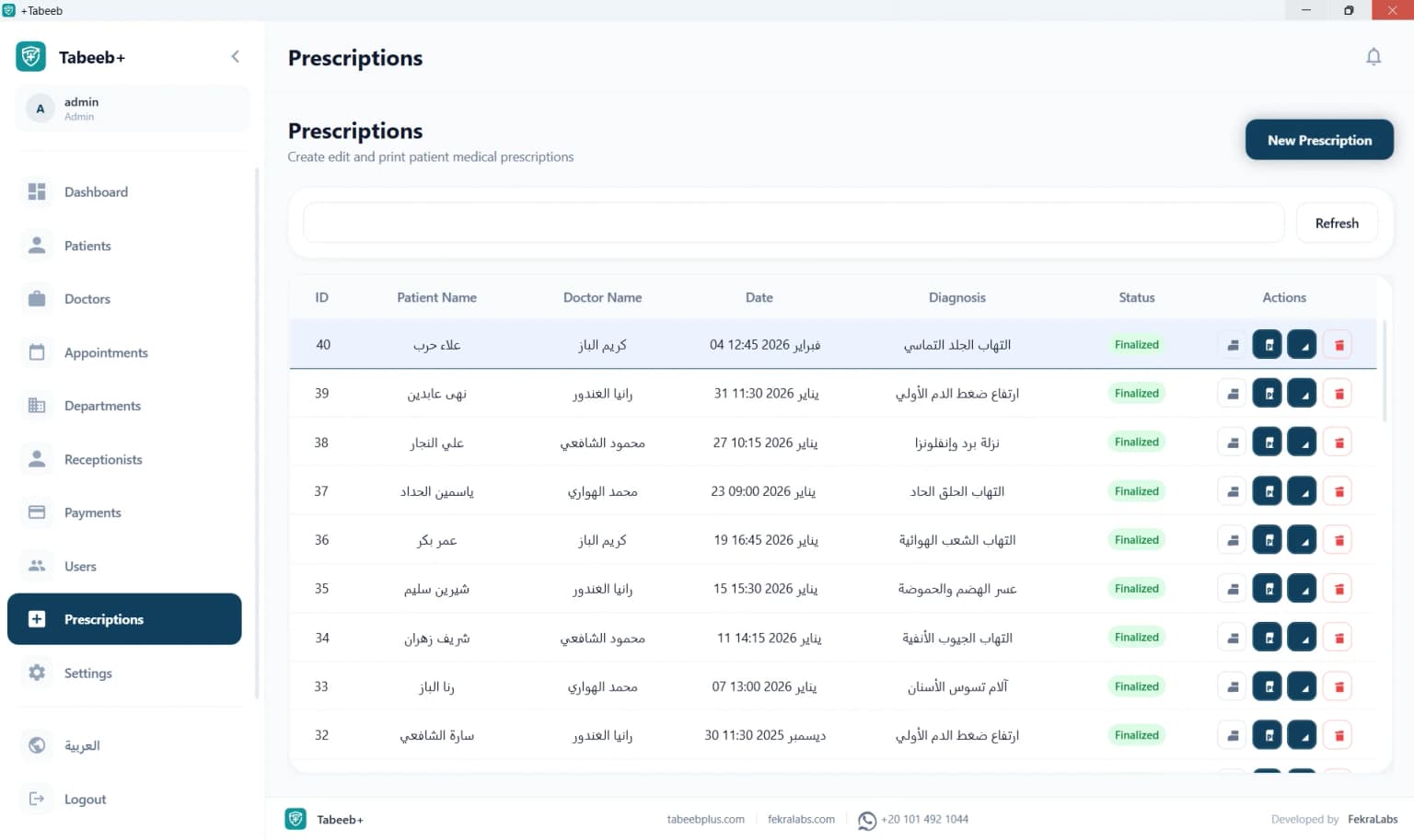
Search, browse, and review historical dispensed prescriptions and medication logs.

A unified desktop layout featuring fast sidebar navigation across POS, inventory, and reports.
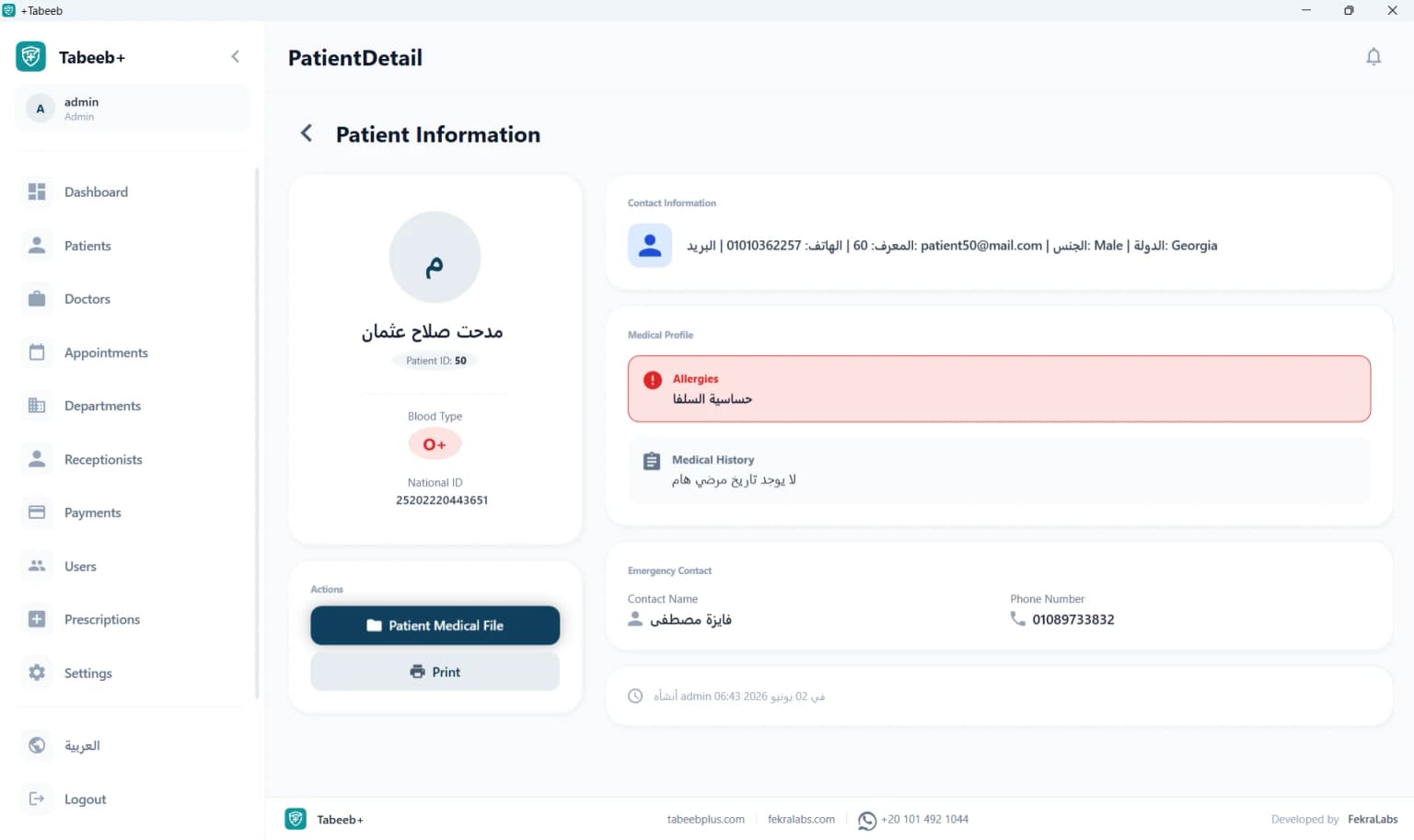
Dedicated viewport for customer contact details, insurance info, and pharmacist notes.
The application is developed with robust desktop framework technology to guarantee total stability on your pharmacy POS computer.
| Technical Architecture Details | |
|---|---|
| Platform | Full Desktop (Offline) — Windows OS |
| User Interface | WPF (.NET) — implementing the stable & fast MVVM pattern |
| Database | Local SQL Server — full security and encryption for inventory & POS records |
| Local Network | LAN support to connect multiple POS counters and back-office PCs offline |
| POS Hardware | Full compatibility with 1D/2D barcode scanners and thermal receipt/label printers |
100% offline pharmacy POS and inventory management software with a lifetime license. PharmacyPlus Desktop delivers an integrated solution for PharmacyPlus Desktop as offline clinic management software with a lifetime license — built for clinics in Egypt and the Arab region that need operational stability and patient data privacy.
PharmacyPlus Desktop is a core part of PharmacyPlus Desktop — offline clinic management software on Windows with a lifetime license. 100% offline pharmacy POS and inventory management software with a lifetime license. It provides local SQL Server EMR, appointments, and billing without requiring constant internet, ideal for private clinics that value stability and data privacy.
Unlike cloud systems relying on remote servers and monthly subscriptions, PharmacyPlus Desktop keeps patient data inside your clinic. Reception, doctors, and accountants can work across LAN-connected PCs while every action stays fast and available during external network outages.
Clinics face appointment pressure, record accuracy, and privacy compliance daily. Without a unified system, data scatters across notebooks, Excel, and chat apps. PharmacyPlus Desktop centralizes operations for Clinic owners managing reception and billing themselves — focused on PharmacyPlus Desktop.
| Area | Without system | With PharmacyPlus Desktop |
|---|---|---|
| Internet | Not required but chaotic | Not required and integrated |
| Billing | Manual error-prone totals | Visit-linked invoices |
| Archiving | Paper or scattered Excel | Unified local EMR |
| Privacy | Exposed paper files | Role-based local DB |
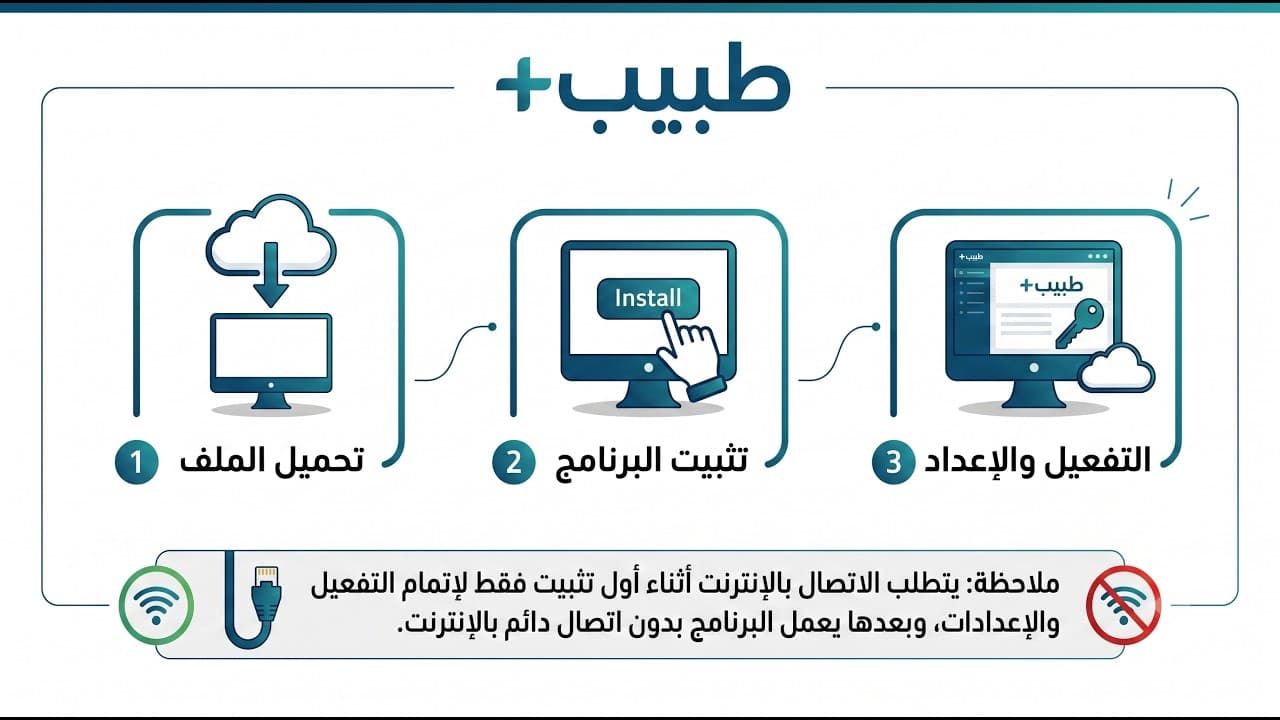
The app runs as a Windows WPF/.NET client connected to local SQL Server. Each user logs in with role-based permissions. Every patient, appointment, prescription, and invoice is saved locally and synced across LAN devices when configured.
One-time licensing (EGP 2,000 in Egypt or USD 100 internationally) with no monthly fees. Local processing delivers instant response without remote server latency.
We help you choose the right setup: single PC or multi-device LAN.
Ideal for: Clinic owners managing reception and billing themselves — focused on PharmacyPlus Desktop.
Real example: A PharmacyPlus Desktop clinic in Riyadh serving about 76 patients weekly. After PharmacyPlus Desktop, reception became ~30% faster with patient, appointment, and invoice data on one screen — no internet wait or paper search.
While this page focuses on PharmacyPlus Desktop, PharmacyPlus Desktop supports dental, pediatric, dermatology, OB/GYN, internal medicine, orthopedics, and more via dedicated specialty pages.
PharmacyPlus specializes in Arabic-market clinic management. We offer lifetime Desktop licensing, Arabic support via WhatsApp, detailed setup guides, and free trials before purchase.
Request a free trial or purchase a lifetime license. Compare Desktop vs cloud on the pricing page or read step-by-step setup guides.
Yes. PharmacyPlus Desktop runs 100% offline on Windows. Internet is optional for support or updates only.
EGP 2,000 in Egypt or USD 100 internationally — one-time payment, no subscription.
Clinic owners managing reception and billing themselves — focused on PharmacyPlus Desktop
Yes, via internal LAN with SQL Server on a local host and client PCs at reception.
Contact us on WhatsApp for a trial installer and setup assistance on Windows 10/11.
Data stays on your clinic's SQL Server. You control backups and permissions with no automatic cloud upload.
Desktop is offline with a lifetime license; cloud requires internet and monthly subscription with remote access benefits.
Yes. PharmacyPlus Desktop integrates with prescriptions and billing for local printing without internet.
Free download · Lifetime license · Integrated support
Explore category, country, feature, guide, comparison, and support pages — 100+ dedicated resources.